Missed Call to WhatsApp Auto Follow-Up: How It Works
What Is Missed Call to WhatsApp Auto Follow-Up?
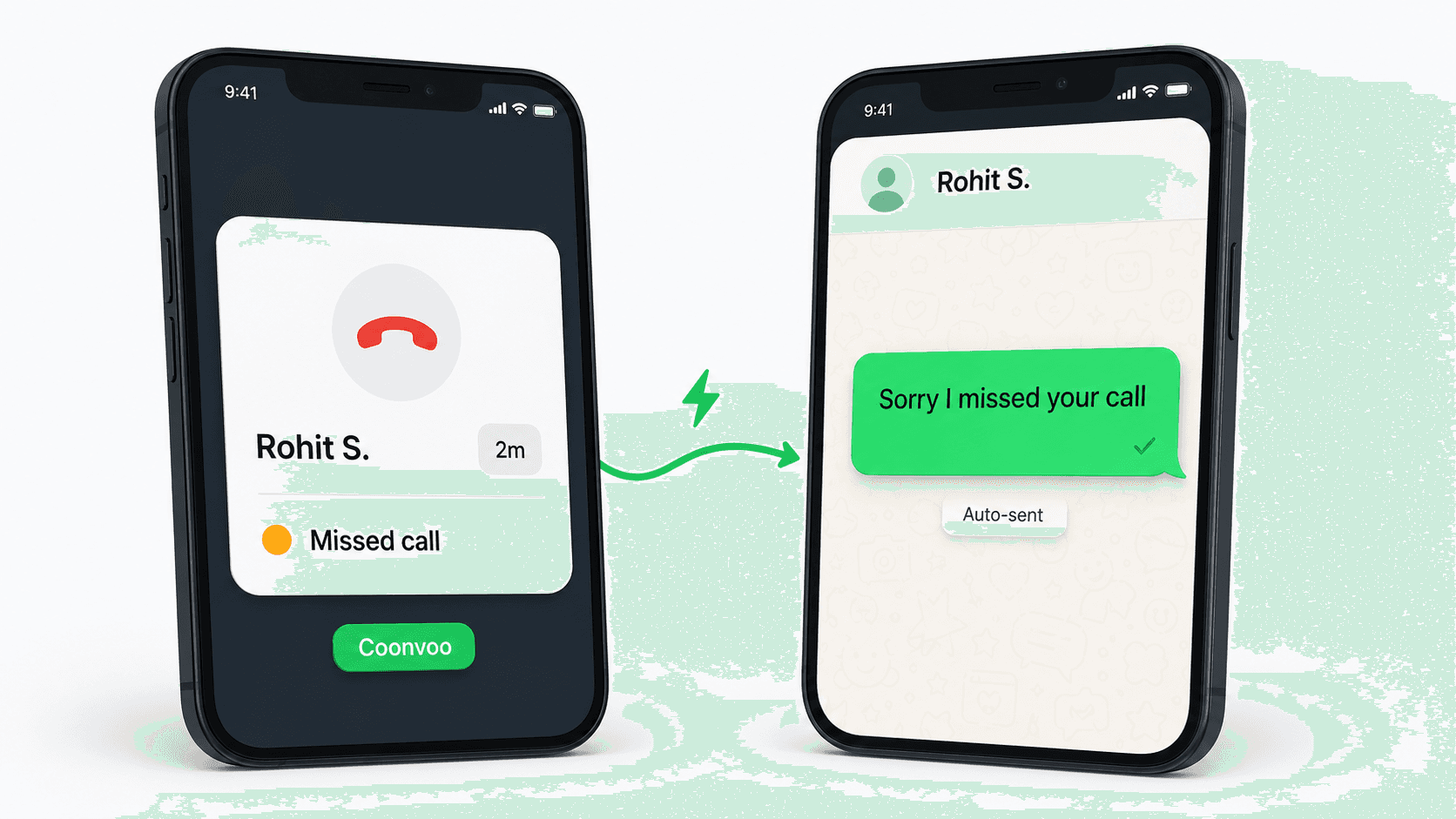
Missed call to WhatsApp auto follow-up is a CRM workflow that detects an unanswered phone call from a customer and automatically sends a WhatsApp message to that customer within minutes — without any manual action from the sales rep. In Connectoo, the workflow listens to your team's VoIP call logs, identifies missed inbound calls, and fires a WhatsApp template to the caller's number from your business account. The message typically apologises for missing the call, restates context, and asks how the team can help, often with a quick-reply button. This single automation closes the gap between "the rep was busy" and "the lead went to a competitor." It is the most popular workflow Connectoo users activate in their first week, and the one with the fastest payback.
Why Missed Calls Cost Sales Teams Real Money
Missed calls are the most under-reported revenue leak in Indian sales teams. Industry telecalling benchmarks show a typical inbound connect rate of 60–70%, meaning 3 to 4 out of every 10 calls go unanswered. Drift's lead response study found that contacting a lead within 5 minutes makes you 21x more likely to qualify them — and a Harvard Business Review study put the same effect at 100x compared to a 30-minute response. Manually, less than 40% of missed calls receive any follow-up at all, and most reps stop after a single attempt according to NSEA data. For a 10-person team handling 200 calls a day, that is roughly 25 to 30 leads per day going completely silent. At an average deal value of $500, even a 10% recovery rate translates to four extra closes per day — pure upside from one workflow.
How the Missed-Call to WhatsApp Workflow Runs in Connectoo
The Connectoo workflow uses a trigger–condition–action structure that runs entirely in the background. The trigger is a VoIP call logged as missed by Connectoo in the browser or mobile app. Conditions filter the firing — for example, only fire during business hours, only for contacts not tagged "do-not-contact," and only if the same number has not received a WhatsApp message in the last hour to avoid duplicates. Actions then execute in sequence: wait 3 minutes (so the rep can call back if they were briefly away), send a pre-approved WhatsApp template from your shared inbox, and create a callback task for the assigned rep if the customer does not reply within 2 hours. The whole thing runs 24/7 once configured. A missed call at 11:47 pm gets the same treatment as one at 11:47 am — your customer never feels ignored.
The 5-Minute Rule: Why Speed Matters More Than the Message
Speed beats craft when recovering a missed call. Drift's research shows lead qualification odds drop sharply after 5 minutes and collapse after the first hour. The reason is intent decay: a customer who just dialled your number was actively shopping at that exact moment. Wait an hour and they have already opened a competitor's website. Connectoo's default missed-call workflow fires within 3 to 5 minutes specifically because that window catches the customer while their phone is still in their hand. WhatsApp is the right channel because messages are seen on a mobile lock screen within seconds, unlike email, which sits unread for hours. This is why a "good enough" template sent in 4 minutes outperforms a perfectly worded message sent in 4 hours. Optimise for speed first, message quality second.
WhatsApp Templates That Win Replies
The right template is short, contextual, and ends with one clear question. A general-purpose missed-call template that converts well across Connectoo customers reads: "Hi , this is Anuj from — sorry we missed your call just now. I'll try you back in the next hour, but if it's faster, can you tell me what you were calling about?" That single message averages a 38–45% reply rate across Connectoo accounts, compared to 12–15% for a generic "Sorry we missed your call." line. For teams running ad-driven inbound funnels, the template should reference the source: "Hi , saw you called us back from the ad — happy to help. What product were you looking at?" Connectoo lets you maintain multiple templates and pick the right one per source, source-tagged campaign, or contact list. Templates must be pre-approved through the WhatsApp Business API for outside-24-hour sends, but inside the 24-hour customer-service window — which is what missed calls trigger — free-form messages are allowed.
Missed Call Recovery: Manual vs Connectoo Auto Workflow
The gap between manual missed-call follow-up and an automated workflow shows up in a few specific places. The table below contrasts what actually happens in each model on a typical day for a 10-person sales team.
| Step | Manual Process | Connectoo Auto Workflow |
|---|---|---|
| Detect missed call | Rep notices later in dialler | Logged in CRM in real time |
| Decide whether to follow up | Memory + judgement (often skipped) | Rule-based, fires every time |
| Time to first response | 30 min – 24 hours (or never) | 3 – 5 minutes |
| Coverage of missed calls | Roughly 30 – 40% | 100% |
| After-hours calls | Lost until next morning | Auto-WhatsApp keeps lead warm |
| Escalation if no reply | Forgotten | Task created for assigned rep |
| Reporting | Spreadsheet, partial | Dashboard with per-rep recovery rate |
Connectoo vs Runo vs TimelinesAI for Missed Call Recovery
Most CRMs in this space cover only one side of the missed-call to WhatsApp loop. Runo and GoDial are strong on SIM-based call tracking but cannot send a WhatsApp message off the back of a missed call without a third-party Zapier-style integration. TimelinesAI and Wati are strong on WhatsApp shared inboxes but have no visibility into call logs, so they have nothing to trigger from. Connectoo is the only platform of the three that owns both ends of the workflow natively, which is why the trigger–condition–action chain works without external glue. The table below shows how the three stack up.
| Capability | Connectoo | Runo | TimelinesAI |
|---|---|---|---|
| Built-in call tracking | Yes (VoIP) | Yes (SIM-based) | No |
| WhatsApp shared inbox | Yes | No | Yes |
| Missed call to WhatsApp trigger (native) | Yes | No | No |
| WhatsApp template library | Yes | No | Yes |
| Escalation tasks if no reply | Yes | Limited | WhatsApp-only |
| Free plan | Yes (forever) | 14-day trial | 10-day trial |
For a deeper feature breakdown, see the Connectoo vs Runo and Connectoo vs TimelinesAI pages.
Setting Up Your First Missed Call Workflow in 5 Minutes
Activating the workflow takes one rep and about 5 minutes. First, sign in to Connectoo in the browser or mobile app and activate your calling number — this is what enables VoIP call tracking. Second, open the Connectoo dashboard, go to Workflows, and pick the "Missed Call Recovery" template — it ships pre-built on Pro and Business plans. Third, edit the WhatsApp template body to match your brand voice and pick the business hours window you want it to fire inside. Fourth, optionally add conditions: filter out internal numbers, contacts already in an active conversation, or numbers tagged "do-not-contact". Fifth, hit Activate. The workflow goes live immediately. You will see your first missed-call WhatsApp message land within a few hours, depending on call volume. For full automation depth, including stale-lead and welcome-sequence templates, see our deeper guide on auto follow-up workflows that increase sales. And to follow up after every call — answered ones too, not just missed — read our guide on after-call WhatsApp automation in India.
ROI: What One Workflow Recovers in 30 Days
The economics of this single workflow are straightforward and well-documented across Connectoo's customer base. A typical 10-person sales team using VoIP outbound and inbound calls misses roughly 25–30 inbound calls per day, or 600–750 per month. Manually, around 35% get followed up; automated, 100% do. Of the recovered 65% (roughly 400 calls per month), an average 30–40% reply to the WhatsApp message within 24 hours. That is 120–160 conversations re-opened per month per team. Connectoo customers report converting 8–12% of these recovered conversations to qualified opportunities, which at a $500 average deal value puts the workflow's monthly upside at roughly $4,800 to $9,600. The Connectoo Pro plan needed to run this workflow costs $15/user/month — see the full breakdown on the pricing page. Most teams break even on the entire CRM subscription inside the first week of activating this one workflow, which is why we recommend it as the very first thing new accounts switch on.
About the Author
Connectoo Team
Product & Growth at Connectoo
Writing about WhatsApp CRM, VoIP call tracking, communication management, and building better workflows for teams of every size. Follow Connectoo for more insights.