
How Auto Follow-Up Workflows Increase Sales by 30%+ (With Examples)
Why Follow-Ups Are the Highest-ROI Sales Activity
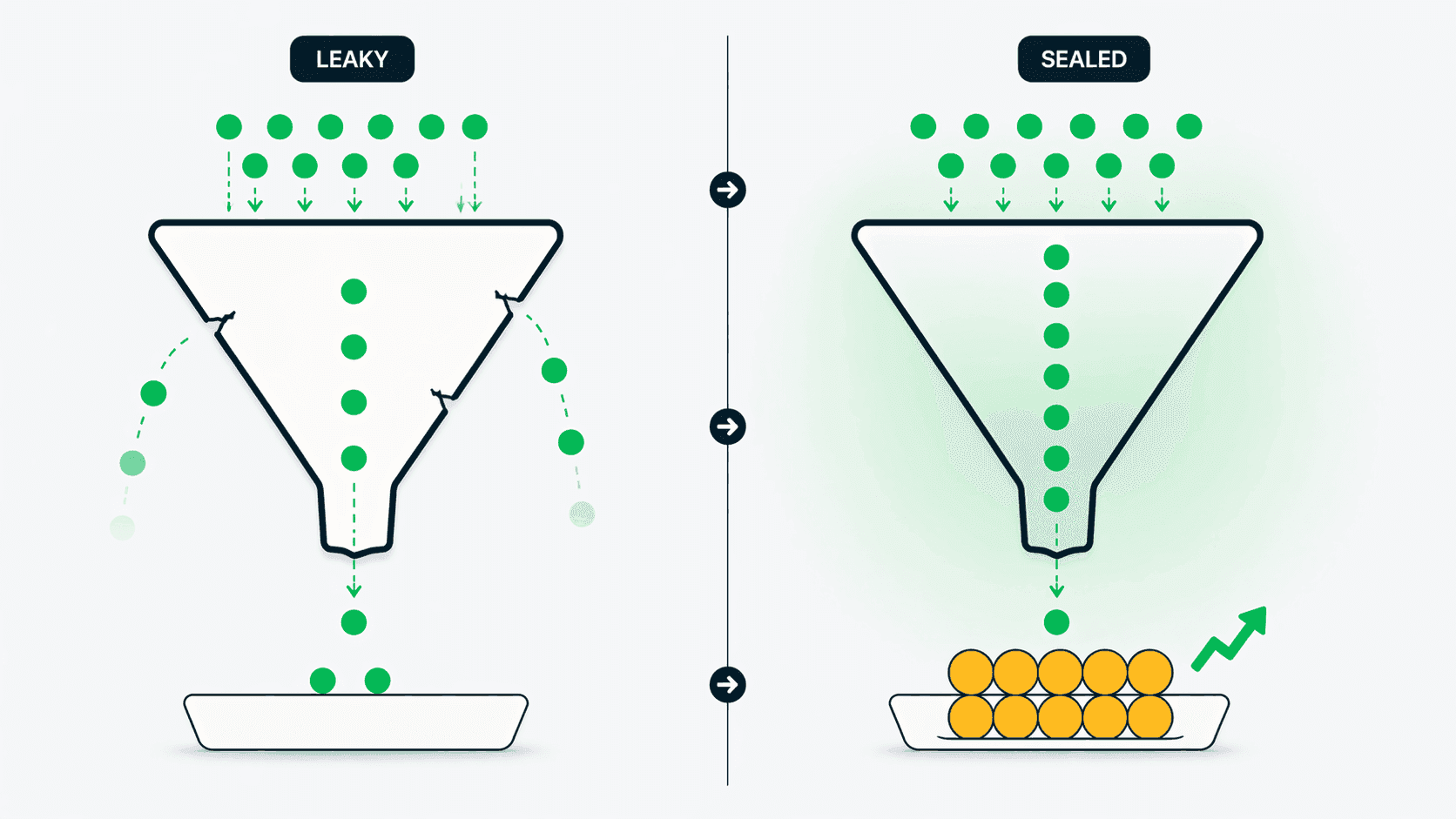
Follow-ups are the single most impactful activity a sales team can improve because the data is overwhelming: 80% of sales require at least 5 follow-up contacts after the initial meeting, yet 44% of sales reps give up after just one follow-up, according to research published by the National Sales Executive Association. A study by InsideSales.com found that 50% of sales go to the vendor that responds first — and that the optimal response time for a new lead is under 5 minutes. For teams of every size handling dozens of conversations daily across WhatsApp and phone calls, consistent manual follow-ups are nearly impossible. Reps get busy, forget, or prioritize incorrectly. The result is predictable: leads go cold, customers feel ignored, and revenue that should have closed walks to a competitor. Auto follow-up workflows eliminate the human failure point by automating the persistence that converts leads into customers.
What Are Auto Follow-Up Workflows?
Auto follow-up workflows are rule-based automations in your CRM that trigger specific actions when predefined events occur. Instead of relying on a sales rep to remember to call back a missed lead, the system does it automatically. In Connectoo, workflows use a trigger-condition-action structure. A trigger is the event that starts the workflow — such as a missed phone call, an unanswered WhatsApp message, or a new contact being added. A condition filters when the workflow fires — for example, only for contacts tagged as high-value or only during business hours. An action is what Connectoo executes — sending a WhatsApp template message, creating a task, assigning the conversation to a rep, or notifying a manager. Workflows can chain multiple actions with time delays: miss a call, wait 5 minutes, send a WhatsApp message, wait 2 hours, create a callback task if no reply. This structured automation runs 24/7 without human intervention.
The Math: How Automation Increases Sales by 30%+
The sales impact of automated follow-ups is measurable. Consider a 10-person sales team that makes 200 outbound calls per day. Industry data from telecalling benchmarks shows a typical 65% connect rate — meaning 70 calls go unanswered daily. Without automation, research suggests that only 30-40% of missed calls receive a manual follow-up, leaving 40-50 leads with no response. With Connectoo auto follow-up workflows, 100% of missed calls get an automatic WhatsApp message within 5 minutes. According to Drift's lead response study, contacting a lead within 5 minutes makes you 21 times more likely to qualify them. If automated follow-ups recover even 10% of previously lost leads, a team closing deals at $500 average value gains 4-5 additional closes per day — a 30%+ increase in conversion from the same call volume. The automation costs $15/user/month on the Connectoo Pro plan. The ROI is typically realized within the first week.
Example Workflow 1: Missed Call Recovery
The missed call recovery workflow is the highest-impact automation for most sales teams. Here is how it works in Connectoo. Trigger: a VoIP phone call is logged as missed. Condition: the contact is not tagged as do-not-contact and the missed call occurred during business hours. Action sequence: wait 3 minutes (to avoid messaging while the customer might be calling back), send a WhatsApp template message ("Hi [Name], sorry we missed your call. How can we help?"), then wait 2 hours. If no reply, create a callback task assigned to the original rep. If still no reply after 24 hours, escalate to the team lead. This workflow ensures every missed call gets a human-quality response within minutes and gets escalated if it remains unresolved. One Connectoo customer reported recovering 35% of missed call leads within the first month of activating this single workflow. For a full setup walkthrough, sample WhatsApp templates with reply-rate benchmarks, and a 30-day ROI breakdown, see our deeper guide on missed call to WhatsApp auto follow-up.
Example Workflow 2: Stale Lead Re-engagement
Stale leads — contacts who have not interacted with your team in 7 or more days — represent significant lost revenue. Research from MarketingSherpa shows that 73% of leads are not sales-ready when first generated, but many will convert with consistent nurturing. The stale lead re-engagement workflow targets this gap. Trigger: no interaction (calls, WhatsApp, or SMS) with a contact for 7 days. Condition: contact is in an active pipeline stage, not marked as closed-lost. Action: send a WhatsApp check-in message ("Hi [Name], just checking in — any questions about [last discussed topic]?"), then wait 3 days. If no reply, create a phone call task for the assigned rep. This automated nudge re-activates conversations that would otherwise die silently. For teams with 500+ active contacts, this workflow alone can surface 10-20 re-engagement opportunities per week that reps would never have identified manually.
Example Workflow 3: New Lead Welcome Sequence
Speed-to-lead is critical. The Harvard Business Review study found companies responding within 5 minutes are 100 times more likely to connect than those waiting 30 minutes. The new lead welcome workflow capitalizes on this. Trigger: new contact added to the CRM (via WhatsApp message, form submission, or manual entry). Action: immediately send a WhatsApp welcome message introducing your company and the assigned rep, then create a call task for the rep to make a personal follow-up call within 1 hour. This ensures every new lead gets instant acknowledgment plus a personal touch within the first hour. For teams using Connectoo's WhatsApp shared inbox, the welcome message goes out from the business number automatically — the lead gets a professional first impression even when reps are busy with other conversations.
Building Your First Workflow in Connectoo
Setting up auto follow-up workflows in Connectoo requires no coding. Navigate to the Workflows section in your Connectoo dashboard (available on Pro and Business plans). Click Create Workflow and choose from pre-built templates — Missed Call Recovery, Stale Lead Re-engagement, and New Lead Welcome are available out of the box. Each template is fully customizable: adjust the trigger conditions, modify the message content, change the time delays, and add or remove actions. You can also build workflows from scratch using the visual builder with the trigger-condition-action structure. Start with one workflow, measure the impact for two weeks, then add more. Most teams see results from their first workflow within days — a missed call that previously went unfollowed now generates a WhatsApp response within minutes, keeping the conversation alive. Cross-channel automation is Connectoo's key advantage: unlike TimelinesAI which can only automate within WhatsApp, Connectoo triggers actions across calls, WhatsApp, and SMS from a single workflow.
About the Author
Connectoo Team
Product & Growth at Connectoo
Writing about WhatsApp CRM, VoIP call tracking, communication management, and building better workflows for teams of every size. Follow Connectoo for more insights.