After-Call WhatsApp Automation in India: A 2026 Guide
What Is After-Call WhatsApp Automation?
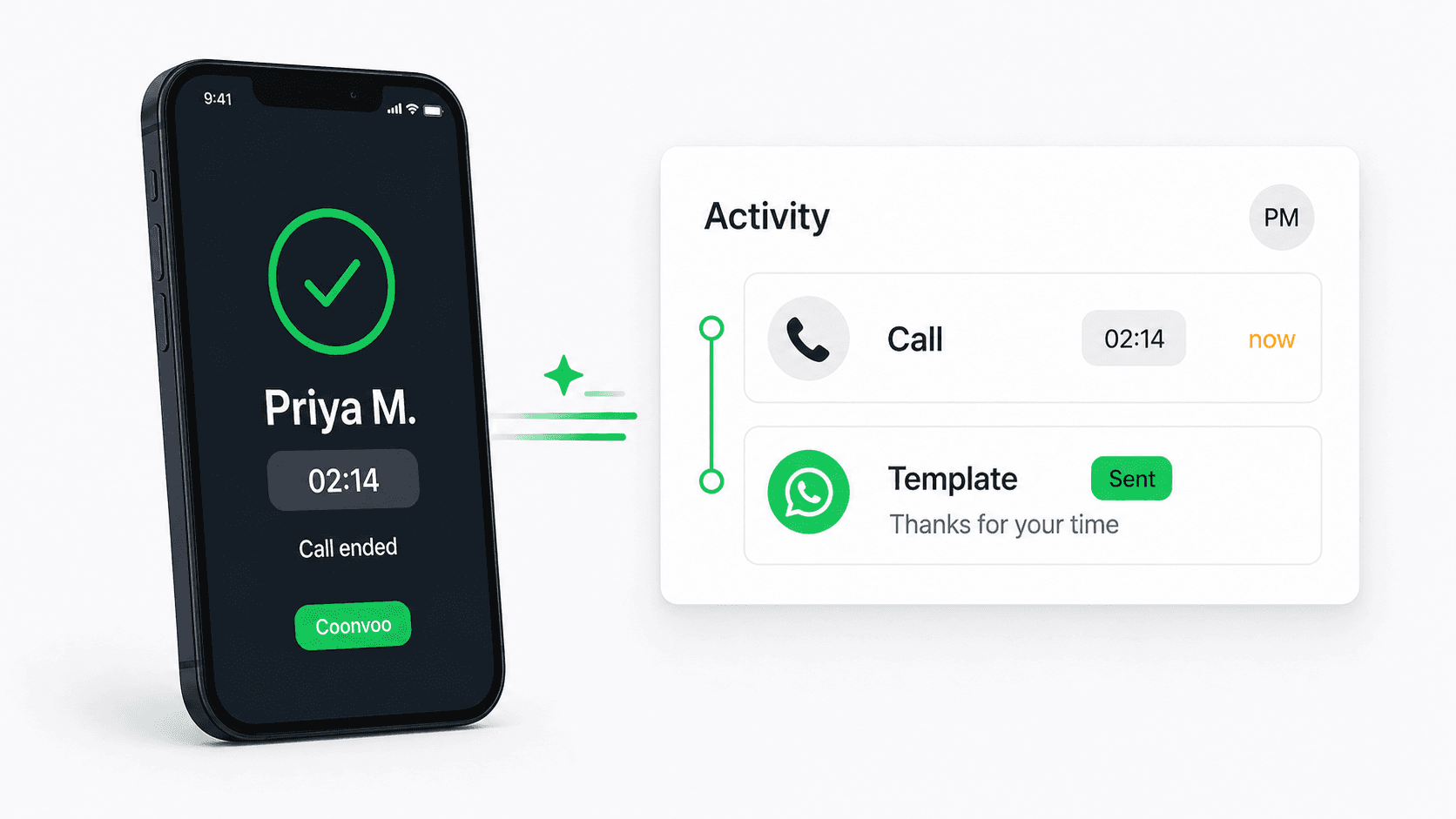
After-call WhatsApp automation is a CRM workflow that automatically sends a WhatsApp message to a customer right after a phone call ends — answered or missed — without the rep typing anything. In India, where buyers expect a WhatsApp message after almost every business call, this turns a one-off conversation into a documented, trackable thread. Connectoo detects the call from your team's VoIP call logs, matches it to the contact, and fires a pre-approved WhatsApp template within minutes: a quote, a brochure, a meeting confirmation, or a simple "thanks for your time" with a clear next step. Because the message goes out automatically, every call gets a written follow-up — not just the ones a rep happens to remember. This is the workflow most Indian SMB sales teams ask for first, because it matches exactly how their customers already prefer to communicate.
Why After-Call WhatsApp Automation Fits Indian Sales Teams
After-call WhatsApp automation fits Indian sales because WhatsApp is where the buying conversation actually happens. India has over 500 million WhatsApp users, and for most SMB buyers it is the default channel for sharing details, quotes, and decisions — not email. A phone call builds rapport, but the deal moves forward in the chat that follows. Drift's research shows that following up within 5 minutes makes a lead 21x more likely to qualify, and 80% of sales need at least five follow-up touches, yet most reps stop after one. Manually, only a fraction of calls get a same-day WhatsApp message — the rep is on the next call, the number is mistyped, or the brochure never gets sent. Automating the after-call message closes that gap on every single call, in seconds, while the customer still has their phone in hand. For a 10-person team handling 200 calls a day, that is the difference between 40 follow-ups and 200.
How After-Call WhatsApp Automation Works in Connectoo
Connectoo runs after-call WhatsApp automation on a trigger–condition–action model that needs no manual step. The trigger is any VoIP call logged by Connectoo in the browser or mobile app — answered, missed, or rejected. Conditions narrow when it fires: only during business hours, only for calls longer than 30 seconds, only for contacts tagged "lead," or skipping anyone messaged in the last hour. The action sends a pre-approved WhatsApp template from your shared inbox — and you can chain steps, like waiting 3 minutes, sending the template, then creating a callback task if there is no reply in two hours. Different call outcomes can fire different messages: an answered demo call sends a recap and pricing link, while a missed call sends a "sorry we missed you" template. That missed-call branch is covered in depth in our guide on missed call to WhatsApp auto follow-up. Everything runs 24/7 once it is switched on.
WhatsApp Business API Rules for After-Call Messages in India
After-call WhatsApp messages in India almost always need a pre-approved template, and understanding why keeps your account compliant. The WhatsApp Business Platform only opens a 24-hour free-form messaging window when the customer messages your number first — a phone call does not open it. So when Connectoo sends a WhatsApp message after a VoIP call to someone who has not yet chatted with you, it must use an approved template, usually in the utility category (a follow-up, confirmation, or document delivery) rather than marketing. Templates are submitted once and approved by Meta, typically within minutes to a few hours. The moment the customer replies, the 24-hour service window opens and your rep can send free-form messages — quotes, photos, voice notes — until it closes. Note that DLT registration, which India's TRAI requires for SMS, does not apply to WhatsApp; WhatsApp compliance is governed by Meta's template and opt-in rules instead. Connectoo stores your approved templates and selects the right category automatically.
Cloud Telephony vs VoIP After-Call WhatsApp
Indian teams can run after-call WhatsApp in two ways: through traditional cloud telephony providers (BSPs like MyOperator, Exotel, or Knowlarity that route calls over virtual numbers and per-minute plans) or through a VoIP CRM like Connectoo, where reps call from the browser or mobile app and every call is tracked natively. They suit different sales motions. Legacy cloud telephony is built around IVR, call-center routing, and per-minute billing; Connectoo's VoIP fits fast-moving sales teams that want calling, WhatsApp, and follow-up automation in one flat-priced platform. The table below compares the two for after-call WhatsApp follow-up.
| Factor | Cloud telephony + WhatsApp (BSP) | VoIP + WhatsApp (Connectoo) |
|---|---|---|
| Call channel | Virtual number / IVR | VoIP from browser or mobile app |
| Best for | Inbound call centers | Sales teams that call & chat |
| Where reps call from | Desk phone / IVR routing | Browser at the desk or mobile app on the go |
| Setup | Number provisioning, porting | Sign in, activate number — no hardware |
| Captures every call automatically | Within platform only | Yes — logs every VoIP call |
| After-call WhatsApp trigger | Yes (within platform) | Yes (native, cross-channel) |
| Pricing model | Per-channel + call minutes | Flat per-user |
For most 5–50 person Indian SMB teams that want calling and WhatsApp in one place, Connectoo's VoIP approach wins on both fit and cost.
After-Call WhatsApp Templates That Get Replies in India
The best after-call WhatsApp templates are short, reference the call, and end with one clear next step. After an answered call, a recap template works well: "Hi , thanks for your time just now — as discussed, here's the brochure and pricing. Shall I block a quick demo for Thursday?" After a missed call, an apology-plus-question template performs best: "Hi , sorry we missed your call — I'll try you again shortly, but if it's quicker, tell me what you needed and I'll sort it on WhatsApp." Across Connectoo accounts, a contextual template like this averages a 38–45% reply rate, versus 12–15% for a generic "Thank you for calling." Many Indian teams keep parallel English and Hindi versions and let the workflow pick by contact tag or region. Keep one variable for personalization, avoid stacking more than one link to protect deliverability, and match the template category — utility for confirmations, marketing for offers — to stay inside WhatsApp's rules.
Connectoo vs Runo vs TimelinesAI for After-Call Automation
Most tools in this category cover only one side of the after-call loop. Runo and GoDial track SIM-based calls well but cannot send a WhatsApp message off the back of a call without external glue. TimelinesAI and Wati run strong WhatsApp shared inboxes but have no visibility into call logs, so they have nothing to trigger from. Connectoo is the only one of the three that owns both the call side (VoIP) and the WhatsApp side natively, which is what makes the after-call trigger work without a Zapier-style integration. The table below shows how they compare.
| Capability | Connectoo | Runo | TimelinesAI |
|---|---|---|---|
| Built-in call tracking | Yes (VoIP) | Yes (SIM-based) | No |
| WhatsApp shared inbox | Yes | No | Yes |
| After-call WhatsApp trigger (native) | Yes | No | No |
| Answered vs missed call branching | Yes | No | No |
| WhatsApp template library | Yes | No | Yes |
| Free plan | Yes (forever) | 14-day trial | 10-day trial |
For a deeper feature breakdown, see the Connectoo vs Runo and Connectoo vs TimelinesAI pages.
How to Set Up After-Call WhatsApp Automation in 5 Minutes
Setting up after-call WhatsApp automation in Connectoo takes about five minutes per team. First, sign in to Connectoo in the browser or mobile app and activate your calling number — this powers VoIP call tracking. Second, connect your WhatsApp Business number and submit one or two templates for approval (a recap template and a missed-call template cover most cases). Third, open Workflows, pick the "After-Call Follow-Up" template, and choose which call outcomes should fire it — answered, missed, or both. Fourth, set conditions: business hours, a minimum call duration, and a do-not-contact filter. Fifth, hit Activate. The workflow fires on the next logged call. For deeper sequences — stale-lead nudges, welcome flows, and multi-step cadences — see our guide on auto follow-up workflows that increase sales. Workflows are available on the Pro and Business plans; the full breakdown is on the pricing page.
What Indian SMB Teams Recover in 30 Days
The economics of after-call WhatsApp automation are straightforward. A 10-person Indian sales team handling 200 calls a day makes roughly 4,000 calls a month. Manually, perhaps 30–40% get a same-day WhatsApp follow-up; automated, 100% do — adding 2,400-plus extra documented follow-ups every month. Of those, a contextual template earns a 38–45% reply rate, re-opening hundreds of conversations that would otherwise have ended at "thanks for calling." Connectoo teams typically convert 8–12% of recovered conversations into qualified opportunities. At a $500 average deal value, recovering even a few extra closes a week pays for the whole CRM many times over. The Connectoo Pro plan that runs these workflows costs $15 per user per month — see the pricing page for the full breakdown. Most teams break even on their subscription within the first week, which is why after-call automation is the very first workflow we recommend switching on.
About the Author
Connectoo Team
Product & Growth at Connectoo
Writing about WhatsApp CRM, VoIP call tracking, communication management, and building better workflows for teams of every size. Follow Connectoo for more insights.