Bring every WhatsApp conversation from every team member into one shared inbox inside your CRM. Assign chats, collaborate on responses, and never lose track of a customer conversation again.
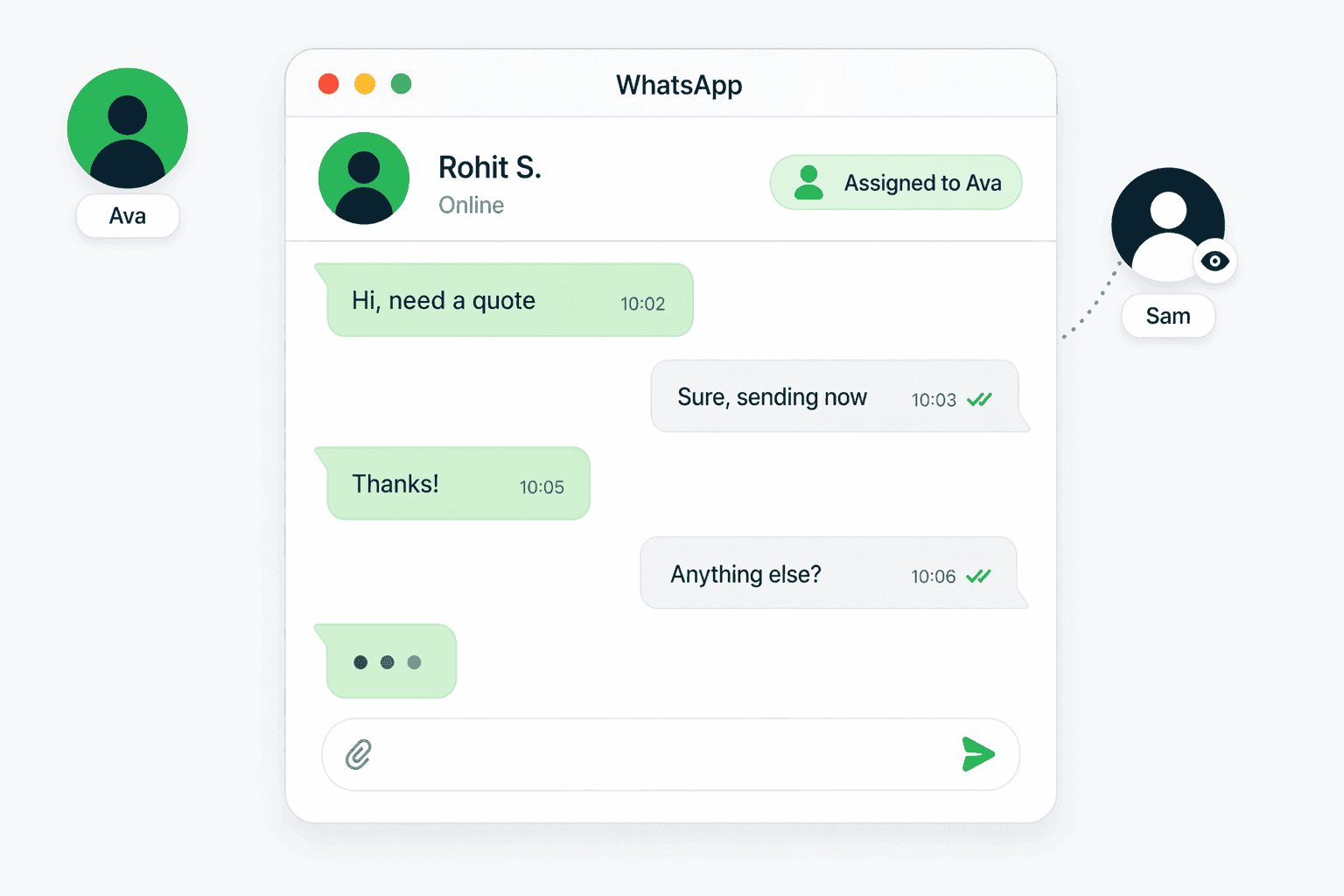
A WhatsApp shared inbox is a centralized dashboard where your entire team can view, manage, and respond to WhatsApp conversations from a single interface. Instead of each sales rep managing WhatsApp chats on their personal phone with no visibility for managers, a shared inbox brings every conversation into one place. Connectoo connects to your WhatsApp Business account and syncs all incoming and outgoing messages in real time. Every team member sees the same conversation history, can be assigned specific chats, and can respond directly from the CRM. Managers get full visibility into response times, conversation volume, and which reps are handling which customers — all without asking anyone to forward screenshots.
Connectoo syncs with your WhatsApp Business API to pull every message into the CRM automatically. Setup takes under 10 minutes: connect your WhatsApp Business number, invite your team, and conversations start flowing immediately. Each incoming message appears in the shared inbox with the customer name, conversation history, and any CRM data you have on that contact. Team leads can assign conversations to specific reps, set priority levels, and add internal notes that customers never see. When a rep responds, the message goes out through WhatsApp as normal — the customer experience is seamless. Connectoo supports multiple WhatsApp Business numbers on paid plans, so agencies managing several client accounts can track everything from one dashboard.
TimelinesAI is a popular WhatsApp shared inbox tool that focuses exclusively on WhatsApp integration with external CRMs like Salesforce and HubSpot. It charges $10 to $60 per seat per month and works well for teams that only need WhatsApp management. Connectoo takes a different approach by building WhatsApp shared inbox directly into its own CRM alongside VoIP call tracking and SMS. While TimelinesAI requires you to pair it with a separate CRM, Connectoo is the CRM — so you get contact management, conversation timelines, and automated follow-up workflows in one tool. For teams that communicate via both WhatsApp and phone calls, Connectoo eliminates the need for two separate subscriptions. Teams that only use WhatsApp may find TimelinesAI sufficient, but teams that also make VoIP calls get more value from Connectoo unified platform.
Connectoo WhatsApp shared inbox includes conversation assignment so managers can route chats to the right rep. Internal notes let team members collaborate on a response without the customer seeing the discussion. Read receipts and delivery status sync from WhatsApp so you know when messages are seen. Contact auto-linking matches incoming WhatsApp messages to existing CRM contacts, so reps see the full customer history before replying. Quick replies let your team use saved templates for common questions, cutting response time significantly. The inbox also supports media — images, documents, and voice messages are all visible and downloadable directly from the CRM. For teams on the Growth and Scale plans, Connectoo adds automated follow-up workflows that trigger actions based on WhatsApp conversation events, like sending a reminder if a customer message goes unanswered for more than 2 hours.
Teams of every size lose an average of 20% of customer conversations when WhatsApp chats live on individual phones. Reps leave the company and take chat history with them. Managers have no idea which customers have been contacted and which are waiting. Follow-ups depend on memory rather than systems. A WhatsApp shared inbox solves all of these problems by making every conversation visible to the team. Customer context never leaves the organization. New team members can pick up where someone else left off. Response times improve because managers can see bottlenecks in real time. And with Connectoo, the shared inbox is paired with call tracking and automated workflows — so the WhatsApp inbox becomes part of a complete communication management system rather than a standalone tool.
Connectoo WhatsApp Shared Inbox is designed for specific team roles and use cases. Here are the teams that benefit most from this feature.
Sales reps who communicate with leads via WhatsApp can track every conversation, automate follow-ups, and give managers visibility into the pipeline without forwarding chats.
Support teams handling customer queries on WhatsApp can assign tickets, track resolution times, and ensure no message goes unanswered with the shared inbox.
Agencies managing WhatsApp communication for multiple clients can organize conversations by client, track team performance, and maintain complete records in one CRM.
See how Connectoo WhatsApp Shared Inbox compares to handling this process manually. The table below shows capabilities that Connectoo automates versus what teams typically do without a dedicated tool.
| Feature | Connectoo | Manual Process |
|---|---|---|
| Centralized WhatsApp inbox | ✓ | ✗ |
| Conversation assignment to reps | ✓ | ✗ |
| Internal team notes on chats | ✓ | ✗ |
| Full chat history in CRM | ✓ | ✗ |
| Auto follow-up on unanswered messages | ✓ | ✗ |
| Manager visibility into all chats | ✓ | ✗ |
| Contact auto-linking | ✓ | ✗ |
| Multi-number support | ✓ | ✗ |
Connectoo features work together as a unified communication CRM. Explore these related capabilities that complement WhatsApp Shared Inbox.
Explore more guides, features, and comparisons related to this topic.
Start using Connectoo WhatsApp Shared Inbox today. Free plan available with no credit card required. Upgrade to Growth or Scale for the full feature set.
Start Free Today