Assign customer conversations to the right team member, leave internal notes, and see who is handling which customer — all from one CRM dashboard. Managers get full visibility without micromanaging.
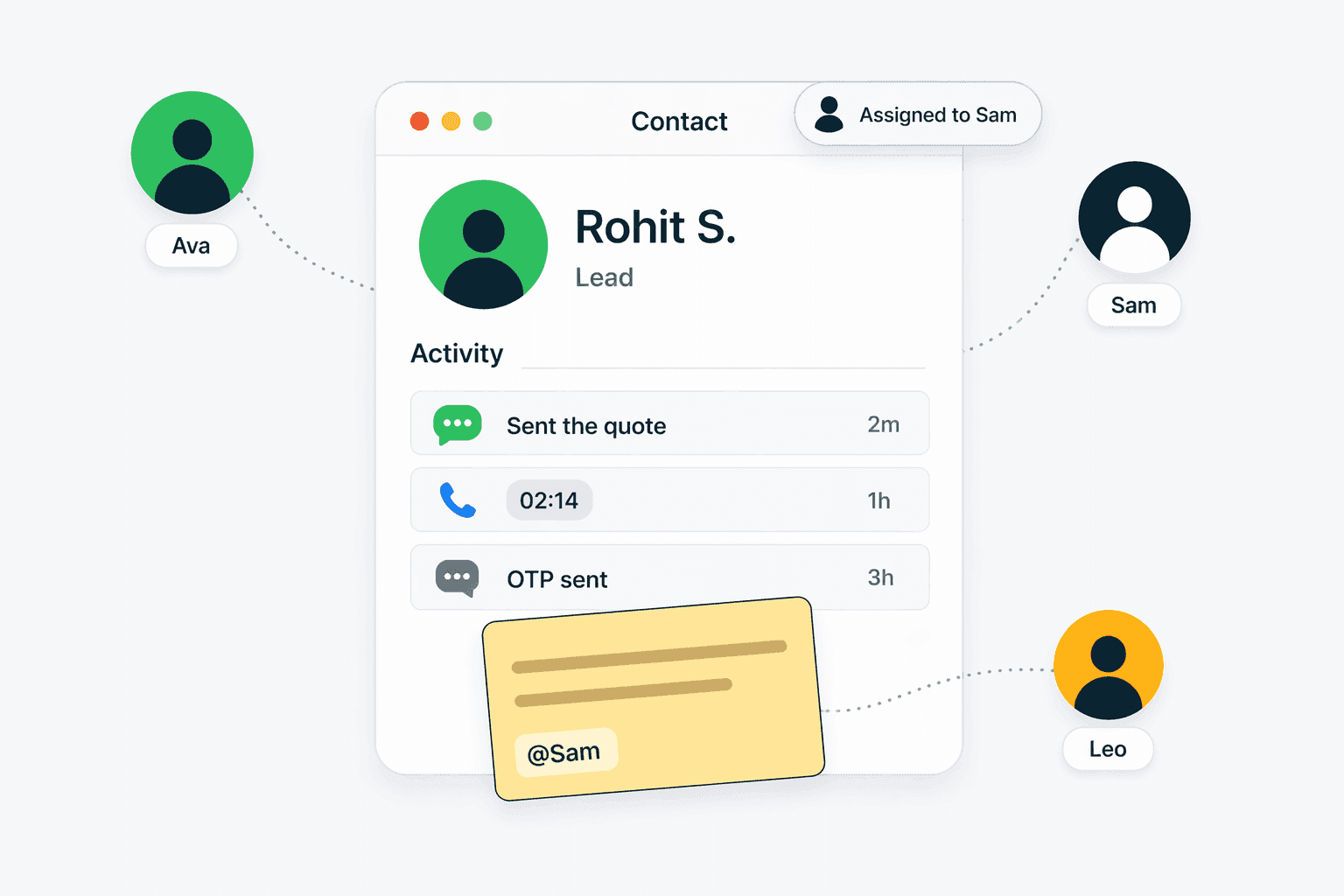
Team collaboration in a CRM means multiple team members can work on customer relationships together with full visibility into who is doing what. In Connectoo, collaboration is built around conversation assignment, internal notes, and activity tracking. When a customer sends a WhatsApp message or a call comes in, the conversation can be assigned to a specific rep. Other team members can see the assignment, read the conversation history, and leave internal notes — but the customer only sees responses from their assigned rep. This eliminates the common problem of two reps contacting the same customer, or a customer falling through the cracks because nobody was explicitly responsible. Unlike generic project management tools, Connectoo collaboration is designed specifically around customer communication — WhatsApp threads, call logs, and SMS conversations.
Connectoo conversation assignment is straightforward. When a new WhatsApp message arrives or a call is logged, the conversation can be assigned to a team member manually by a manager or automatically based on rules. Assignment rules can route conversations by customer tag, deal value, geographic region, or round-robin distribution across the team. Once assigned, the rep sees the conversation in their personal queue alongside the customer's full CRM profile — past WhatsApp messages, call history, SMS, notes, and deal information. If a rep is unavailable, managers can reassign conversations with one click. The assignment history is tracked so you always know who handled a customer and when. For teams using the WhatsApp shared inbox, assignment is especially valuable because it prevents multiple reps from replying to the same conversation simultaneously.
Internal notes in Connectoo let team members communicate about a customer without the customer seeing the conversation. Notes appear in the contact timeline with a distinct visual style so they are clearly separate from customer messages. Use cases include: a rep leaving context for a colleague who is taking over a conversation, a manager providing coaching feedback on how a call was handled, or a support agent documenting a technical issue resolution for future reference. Unlike TimelinesAI which focuses on WhatsApp message management, Connectoo internal notes work across all channels — you can annotate a WhatsApp conversation, a call recording, or an SMS thread. Notes are searchable, so finding past internal discussions about a customer is instant. For teams where informal knowledge sharing is critical, internal notes create a permanent, searchable record that outlasts any individual team member.
Connectoo gives managers a live dashboard showing team activity across all communication channels. The dashboard displays: active conversations per rep, average response time, unassigned conversations, missed calls pending follow-up, and conversation volume by channel. Managers can drill into any conversation to see the full thread without disrupting the rep's workflow. Activity tracking shows when each rep was last active, how many conversations they handled today, and their average resolution time. This level of visibility is particularly important for teams where there is no formal call center infrastructure — managers need to monitor team activity without installing expensive workforce management software. While Runo provides basic call activity views, Connectoo extends visibility to WhatsApp and SMS as well, giving managers a complete picture of team communication across all channels.
In teams of every size, customer relationships are rarely handled by a single person. A sales rep might make the first call, a support agent might handle a follow-up question on WhatsApp, and a manager might step in for a high-value negotiation. Without collaborative CRM, each person operates in isolation — the support agent does not know what the sales rep promised, and the manager does not know what the support agent resolved. Connectoo solves this by making every interaction visible to the team. When a manager opens a customer profile, they see every WhatsApp message, call, SMS, internal note, and task — regardless of which team member handled it. This shared context reduces miscommunication, speeds up handoffs, and ensures customers never have to repeat themselves. For growing teams, collaborative CRM also creates institutional knowledge that survives employee turnover.
Connectoo Team Collaboration is designed for specific team roles and use cases. Here are the teams that benefit most from this feature.
Teams where multiple reps interact with the same customers can assign conversations, avoid duplicated outreach, and maintain context across handoffs.
Sales and support managers who need to monitor team activity, response times, and conversation quality without asking for manual reports or check-ins.
Teams onboarding new reps can use conversation history and internal notes to bring new hires up to speed on existing customer relationships quickly.
See how Connectoo Team Collaboration compares to handling this process manually. The table below shows capabilities that Connectoo automates versus what teams typically do without a dedicated tool.
| Feature | Connectoo | Manual Process |
|---|---|---|
| Conversation assignment to reps | ✓ | ✗ |
| Internal notes on conversations | ✓ | ✗ |
| Live team activity dashboard | ✓ | ✗ |
| Assignment history tracking | ✓ | ✗ |
| Round-robin conversation routing | ✓ | ✗ |
| Cross-channel visibility (WhatsApp + calls) | ✓ | ✗ |
| Rep performance metrics | ✓ | ✗ |
Connectoo features work together as a unified communication CRM. Explore these related capabilities that complement Team Collaboration.
Explore more guides, features, and comparisons related to this topic.
Start using Connectoo Team Collaboration today. Free plan available with no credit card required. Upgrade to Growth or Scale for the full feature set.
Start Free Today